

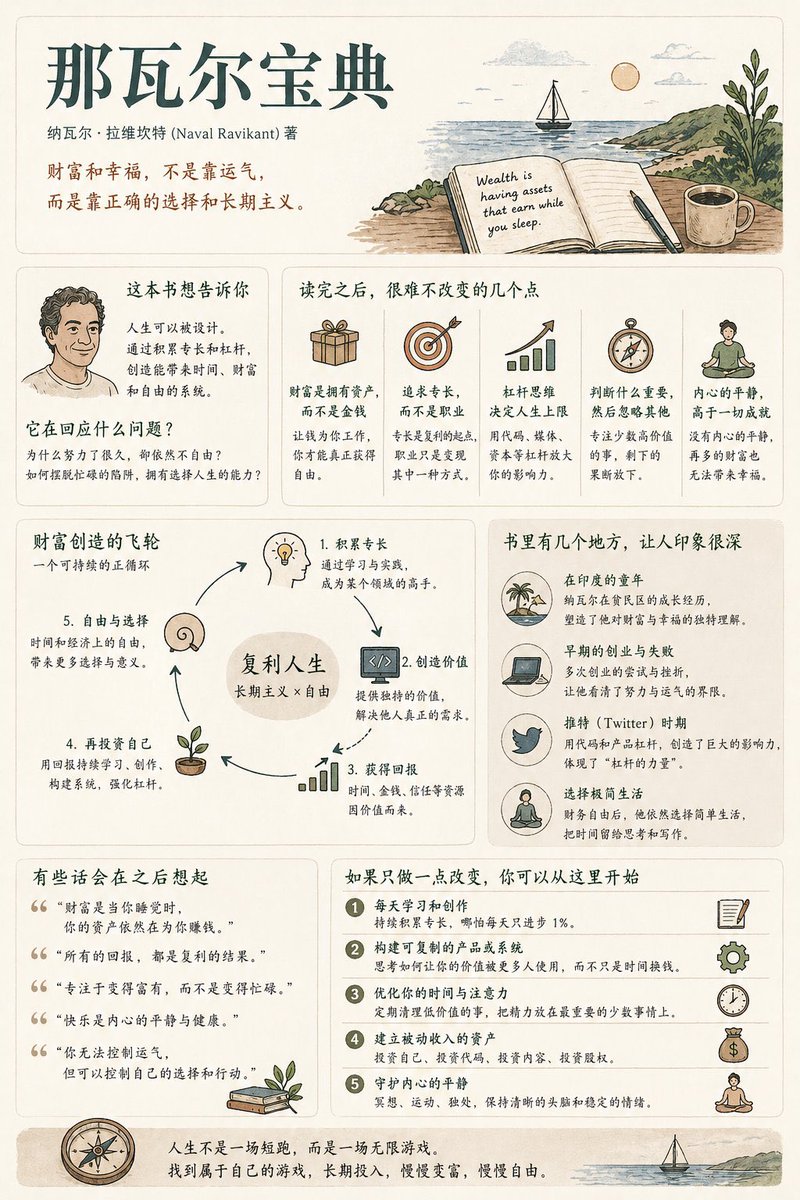
Generate a [medium information density] book summary infographic poster with the theme "[book title]".

---

Step 0 (Critical Pre-assessment)

Before starting generation, determine which category this book belongs to (multiple choice possible):
* Cognitive Growth (Thinking / Self-improvement)
* Business / Wealth (Earning / Career / Investment)
* Psychology / Emotion (Relationships / Inner Self / Human Nature)
* Novel / Story (Narrative / Character / Metaphor)

Adjust content logic based on category.

[Overall Style]
Modern Minimalist UI + Light Vintage Illustration style. Soft light backgrounds (Cream / Beige / Light Gray). Low saturation palette (Deep Green / Deep Blue / Brown).
Keywords: Quiet, Substantial, Readable.

[Core Principles]
Do not use fixed module titles. Do not force structural completeness. Organize information naturally based on book type.

[Content Modules]
1. Opening: Book Title, Author, One-sentence insight.
2. Core Understanding: "What this book is really saying is..."
3. Highlights: Key takeaways adjusted by category.
4. Visual Structure: Decision paths, leverage systems, or character maps.
5. Examples/Fragments: Memorable scenes or cases.
6. Quotes: Meaningful sentences.
7. Actions: Practical steps to take after reading.

[Design Details]
Adaptive grid layout, card-based info, 6:4 image-to-text ratio, unified illustration style, clear hierarchy.

[Tone of Voice]
Should sound like a human explaining the book with insight and realization, not like a dry summary.



0 Comments
👥 Co-learning Circle 0
Observe other members' variables & configurations, and click "Study & Retry" to instantly import settings and practice!