

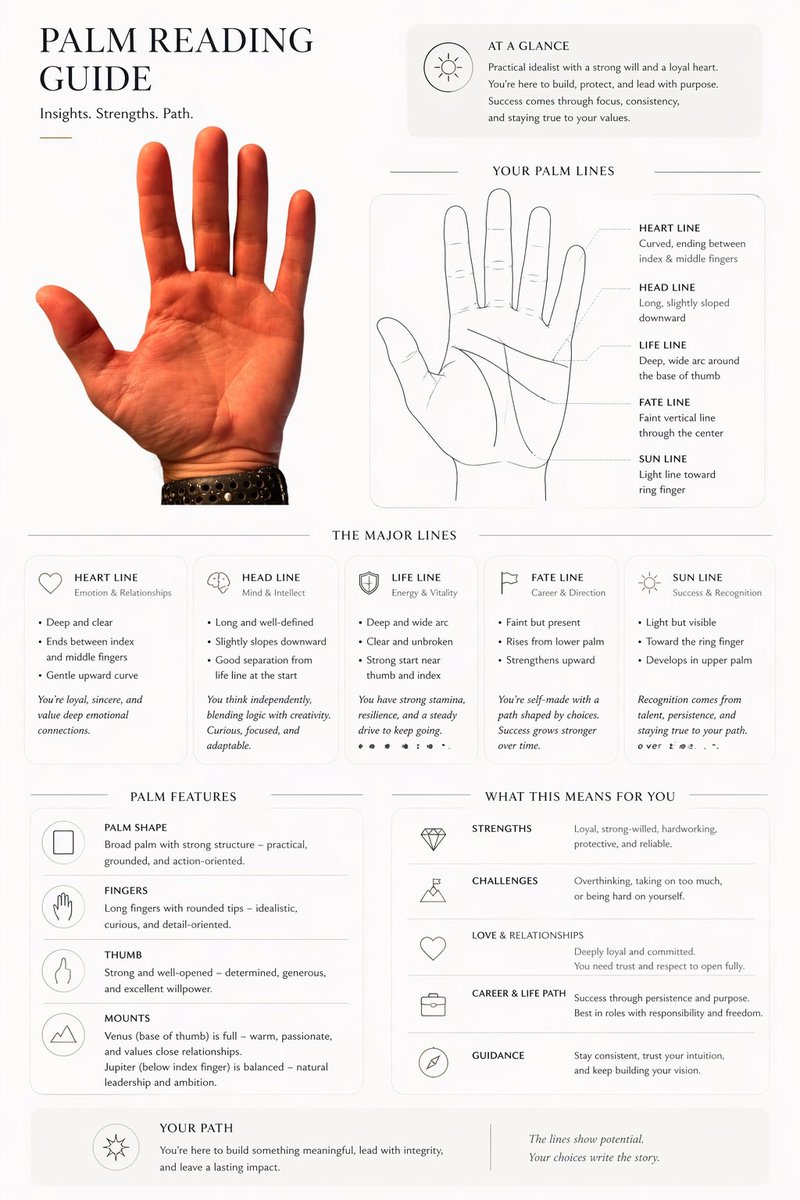
Using REFERENCE_0, transform the photographed hand into a clean, editorial palmistry infographic on a light off-white background. Keep the same palm, orientation, skin tone, and black perforated watch band, but cut it out cleanly and place it as the main photo on the left. Build a modern magazine-style one-page layout around it with thin divider lines, rounded light-gray info panels, elegant serif headings, and small minimal line icons. Add these 7 titled sections: "PALM READING GUIDE" at top left with the subtitle "Insights. Strengths. Path."; "AT A GLANCE" in a top-right summary card; "YOUR PALM LINES" with 1 simple line-art hand diagram and 5 labeled lines; "THE MAJOR LINES" with 5 separate cards; "PALM FEATURES" with 4 feature rows; "WHAT THIS MEANS FOR YOU" with 5 interpretation rows; and "YOUR PATH" as a bottom summary strip. In "YOUR PALM LINES", include exactly 5 labels with short descriptions: HEART LINE, HEAD LINE, LIFE LINE, FATE LINE, SUN LINE. In "THE MAJOR LINES", include exactly 5 cards titled HEART LINE, HEAD LINE, LIFE LINE, FATE LINE, SUN LINE, each with a small icon and short bullet-point interpretations. In "PALM FEATURES", include exactly 4 rows: PALM SHAPE, FINGERS, THUMB, MOUNTS. In "WHAT THIS MEANS FOR YOU", include exactly 5 rows: STRENGTHS, CHALLENGES, LOVE & RELATIONSHIPS, CAREER & LIFE PATH, GUIDANCE. Fill all body copy with plausible palm-reading text tailored to this hand, written in a polished lifestyle-magazine tone. Make it look like a premium palm reading report generated from the uploaded hand photo.



0 Comments
👥 Co-learning Circle 0
Observe other members' variables & configurations, and click "Study & Retry" to instantly import settings and practice!