

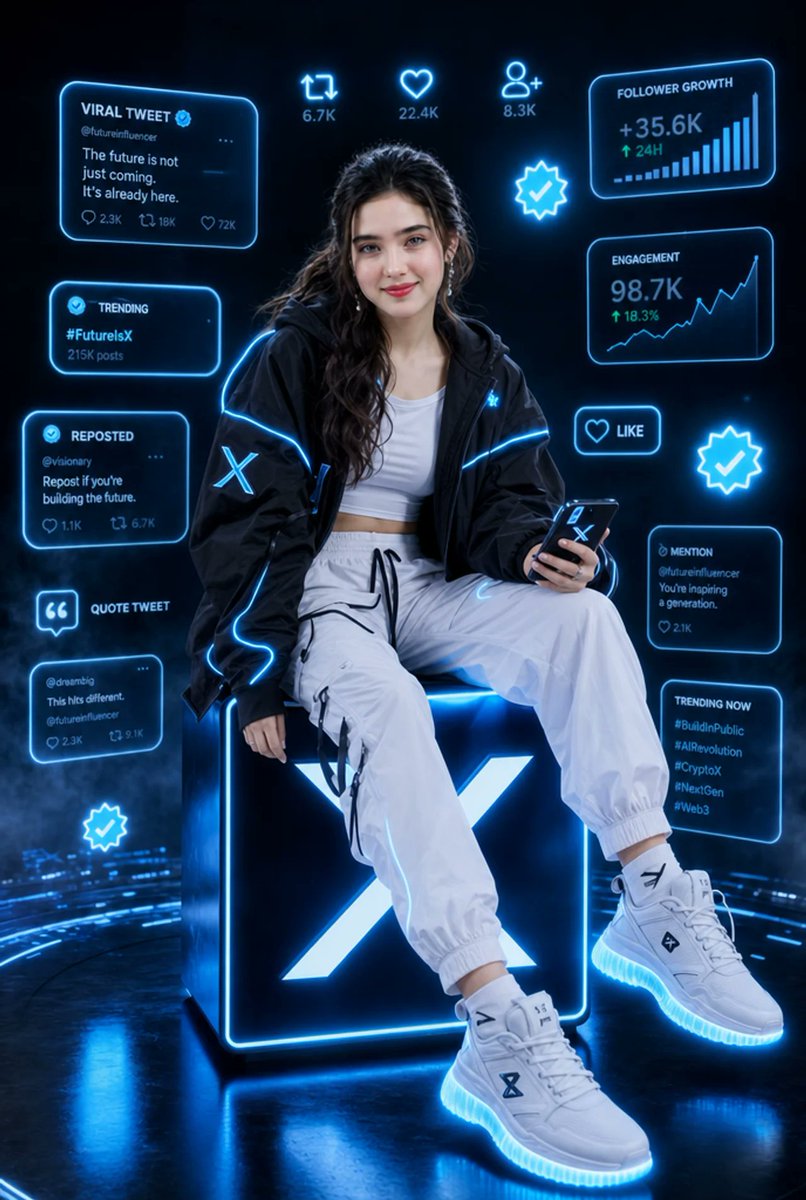
Goal: Create a hyper-realistic cinematic vertical portrait of a stylish young female tech influencer in a futuristic X/Twitter-themed social media environment, with electric-blue holographic interface graphics surrounding her.

Canvas: Vertical 2:3 composition, dark black and deep navy background, glossy reflective floor, volumetric haze and subtle blue light trails. High-end fashion editorial lighting, ultra-detailed, sharp, cinematic, neon cyber aesthetic.

Main subject: A confident young woman, [character description], seated on top of a giant glowing cube. Her face is intentionally covered by a soft rectangular blur/mosaic privacy mask. She wears a black oversized techwear jacket with bright electric-blue piping and a glowing X logo patch on the sleeve, a white cropped tank top, loose white jogger cargo pants with black drawstrings and straps, and chunky white futuristic sneakers with glowing blue soles. She sits relaxed with one leg forward and one leg bent, holding a smartphone in her right hand; the phone screen/case shows an X symbol. Add small metallic earrings and soft glam styling, but keep the face obscured.

Central prop: A large black cube directly under her, edged with intense cyan-blue neon, featuring a huge glowing white-blue X logo on the front face. The cube casts blue reflections onto the glossy floor.

Holographic UI layout: Surround the subject with exactly 13 discrete floating social-media elements, all outlined in neon cyan with a soft glow:
1. Top-left large card titled “VIRAL TWEET” with a verified check, handle “@futureinfluencer,” text “The future is not just coming. It’s already here.” and small metrics including 2.3K, 18K, 72K.
2. Upper-center retweet icon with “6.7K.”
3. Upper-center heart icon with “22.4K.”
4. Upper-center user-plus icon with “8.3K.”
5. Top-right analytics card titled “FOLLOWER GROWTH,” showing “+35.6K,” “↑ 24H,” and an ascending bar chart.
6. Left-middle card titled “TRENDING,” showing “#FutureIsX” and “215K posts.”
7. Center-right glowing verified badge icon.
8. Right-middle analytics card titled “ENGAGEMENT,” showing “98.7K,” “↑ 18.3%,” and an upward line graph.
9. Left-lower card titled “REPOSTED,” handle “@visionary,” text “Repost if you’re building the future.” with small metrics 1.1K and 6.7K.
10. Right-lower small button with heart icon and the word “LIKE.”
11. Far-right glowing verified badge icon.
12. Lower-left quote icon label titled “QUOTE TWEET,” plus a small tweet card below it with handle “@dreambig,” text “This hits different.” and metrics 2.3K and 9.1K.
13. Lower-right stacked area with two cards: one “MENTION” card reading “@futureinfluencer You’re inspiring a generation.” with 2.1K, and one “TRENDING NOW” card listing “#BuildInPublic,” “#AIRevolution,” “#CryptoX,” “#NextGen,” “#Web3.” Treat these two cards as part of the same right-lower cluster.

Additional decorative elements: Include one extra glowing verified badge near the bottom-left floor area, blue circular data arcs sweeping across the ground, faint digital particles, and light bloom. Keep all interface text legible, futuristic, and cyan-blue.

Style constraints: Hyper-realistic photography mixed with holographic UI design, no cartoon look, no watermark, no extra logos besides X symbols, no additional people, no clutter beyond the listed interface elements. Use [neon color] as the dominant glow color and [background mood].



0 Comments
👥 Co-learning Circle 0
Observe other members' variables & configurations, and click "Study & Retry" to instantly import settings and practice!