

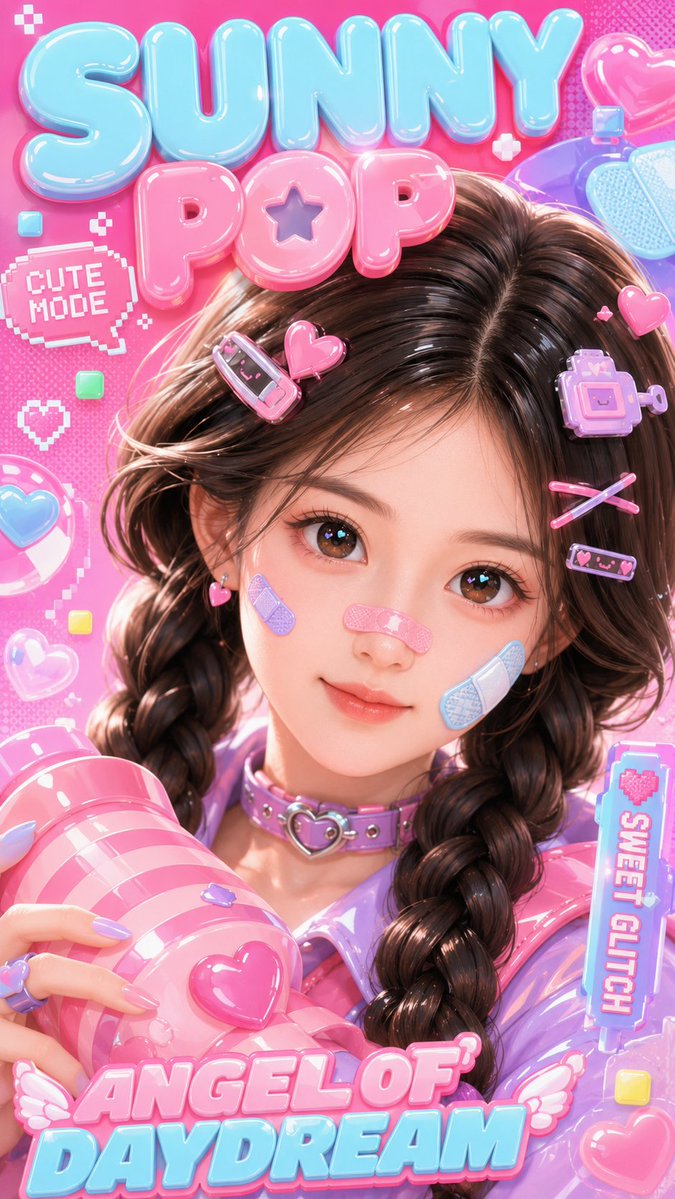
Use the uploaded portrait only as the identity reference. Preserve the person’s face shape, facial features, eye shape, natural dark brown/black hair color, center-parted twin braids, and overall cute youthful vibe. Transform the portrait into a glossy 3D kawaii character, not photorealistic, with a polished toy-like Y2K pop style Create a vertical 9:16 close-up 3D kawaii poster cover. A cute glossy 3D girl with soft doll-like facial proportions, big sparkling eyes, natural dark brown braided hair, candy-pink and pastel-blue hair clips, cute bandages on the cheeks and nose, a lavender choker with a heart buckle, and a shiny pastel purple-pink outfit. She is holding a large pink striped glossy prop near the camera. Background is bright hot pink with bubble letters, pixel stickers, hearts, glossy bubbles, and playful Y2K pop graphics. Make it look like a stylized 3D portrait conversion from a real photo, with clean smooth shading, high detail, rich gloss, and strong cute poster energy. All text must be in English only: “[text 1]”, “[text 2]”, “[text 3]”, “ANGEL OF DAYDREAM”. No watermark, no Chinese text Negative Prompt: photorealistic, realistic photo style, green hair, wrong hair color, short hair, messy hairstyle, low detail, blurry face, bad anatomy, extra fingers, deformed hands, distorted face, flat lighting, dull colors, messy text, unreadable text, Chinese text, watermark, logo, duplicate accessories, ugly eyes, plastic artifacts, low quality



0 Comments
👥 Co-learning Circle 0
Observe other members' variables & configurations, and click "Study & Retry" to instantly import settings and practice!