

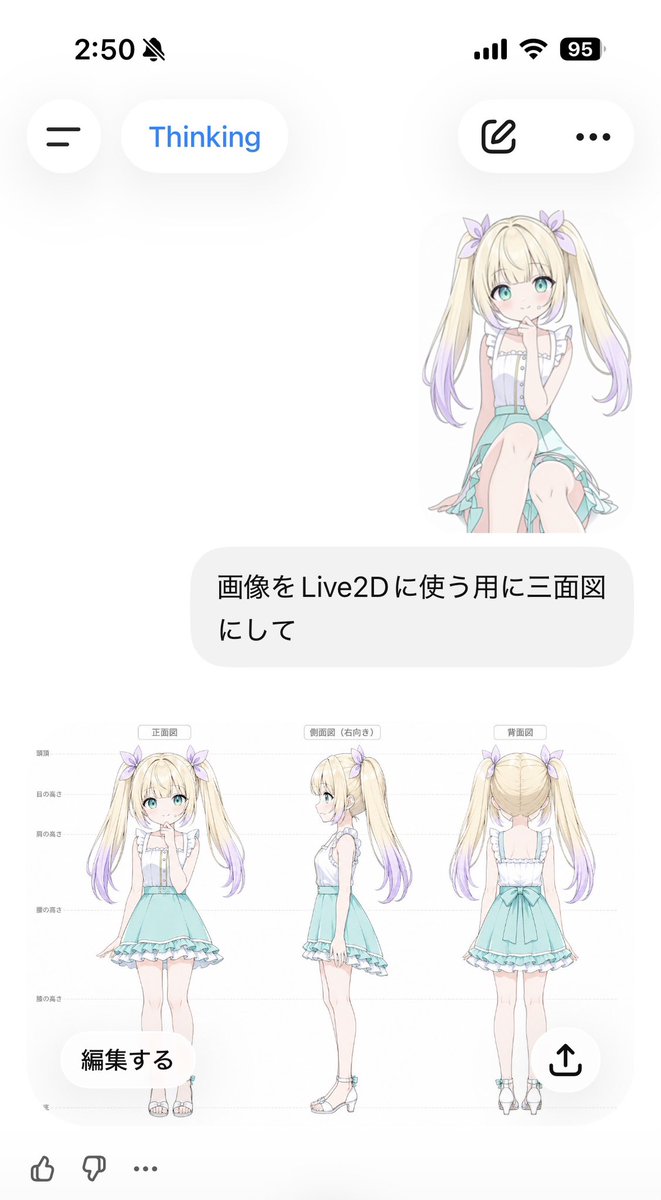
Goal: Create a vertical smartphone screenshot of an AI chat interface showing a generated anime character model sheet for Live2D use.

Canvas: 691 × 1024 vertical mobile screenshot, white background, soft iOS-like UI with lots of empty space and rounded translucent controls.

Top status bar: Show the time “2:50” at top left, a muted bell icon beside it, and exactly 3 status indicators at top right: cellular bars, Wi‑Fi, and a black battery pill reading “95”.

Header UI: Under the status bar, place exactly 4 floating rounded controls: a circular hamburger menu button on the left, a white pill labeled “Thinking” in blue, a white pill on the right containing an outlined edit/pencil icon, and a white pill with a three-dot menu.

Chat content: On the upper right, show a small full-body anime girl sticker sitting/kneeling, facing forward, with long blonde twin tails fading to lavender tips, aqua eyes, pale skin, lavender hair bows, a white frilly sleeveless blouse, and a mint-aqua skirt. Beneath it, place one large rounded light-gray user message bubble containing Japanese text: [user message].

Generated image card: Below the message bubble, display one large embedded character reference sheet image on a white background. It contains exactly 3 full-body views of the same character, evenly spaced left to right: 1) front view labeled [front label], 2) right-facing side view labeled [side label], and 3) back view labeled [back label]. Add faint horizontal guide lines and small Japanese height markers along the left side, like a model turnaround sheet. The character is a cute anime girl named [character name]: long blonde twin tails with lavender gradient ends, pastel purple ribbon bows, turquoise eyes, soft blush, white ruffled sleeveless top with vertical buttons, mint turquoise high-waisted skirt with frilled hem and asymmetrical trailing fabric, slim legs, white ankle-strap sandals with small turquoise accents. Keep proportions consistent across all 3 views and make the art delicate, clean, and pastel.

Overlay controls on the generated card: Add exactly 2 floating buttons over the bottom of the image card: a rounded white button at lower left reading “編集する” and a circular white share button at lower right with an upward arrow icon.

Bottom reaction bar: At the bottom edge, show exactly 3 small icons: thumbs up, thumbs down, and an ellipsis.

Visual style: Crisp mobile screenshot, minimal white interface, soft shadows, Japanese chat app aesthetic, pastel anime illustration, clean line art, no watermark, no extra panels, no additional characters.



0 Comments
👥 Co-learning Circle 0
Observe other members' variables & configurations, and click "Study & Retry" to instantly import settings and practice!