

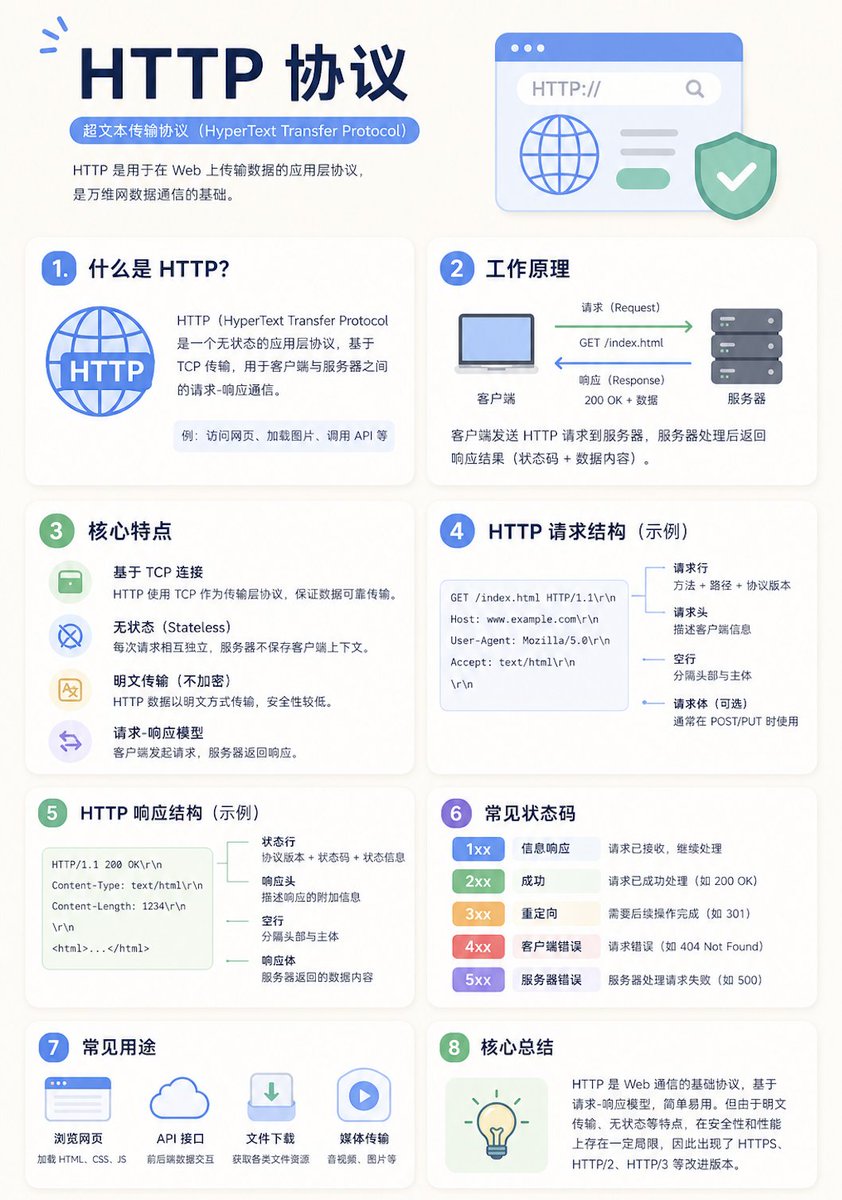
A clean educational infographic poster explaining "[topic]".

[Overall Style]
Modern minimalist UI style, background in soft light colors (e.g., cream #FAF7F2 / light gray-blue), restrained and comfortable color palette suitable for long reading sessions.

[Core Requirements (Key)]
Naturally organize content modules based on the information structure of the "topic". Do not force a fixed number or order of modules; prioritize clear logical information over formal symmetry.

[Layout (Adaptive)]
- Use grid layout (auto-select 2 columns / 3 columns / irregular distribution)
- Card count adjusts based on content (usually 5–9)
- High information density modules can be enlarged (higher visual weight)
- Simple modules can be shrunk or merged

[Card Design]
- White cards (#FFFFFF)
- Rounded corners + subtle shadows (soft layering)
- Maintain uniform spacing and alignment

[Each Information Module Includes]
- Simple illustrations (unified style)
- Clear headings (strong hierarchy)
- 1–3 core explanatory sentences (avoid wordiness)
- Examples / comparisons / summaries provided where necessary

[Content Organization Principles (Emphasis)]
Auto-select appropriate structure based on theme, e.g.:
- Concept type → definition + principle + characteristics + example
- Contrast type → A vs B (comparative structure)
- Process type → steps / flowcharts
- System type → components + relationships
- Skill type → methods + tips + common mistakes

[Visual Hierarchy]
- Title > Module Title > Main Text > Supporting Information
- Important info can be highlighted with color or icons

[Color Suggestions]
- Primary color: Choose based on theme (Tech=Blue, Learning=Green, Warning=Orange)
- Secondary colors: 1–2 types suffice
- Avoid high saturation and flashiness

[Style Requirements]
- Generous negative space, strong sense of "breathability"
- Unified icons (linear or flat)
- High readability as priority
- Clear educational orientation

[Extra Optimization (Optional)]
- Can include: comparison blocks / process arrows / structure diagrams
- Can have a "Core Summary" module as a visual finale.



0 Comments
👥 Co-learning Circle 0
Observe other members' variables & configurations, and click "Study & Retry" to instantly import settings and practice!