

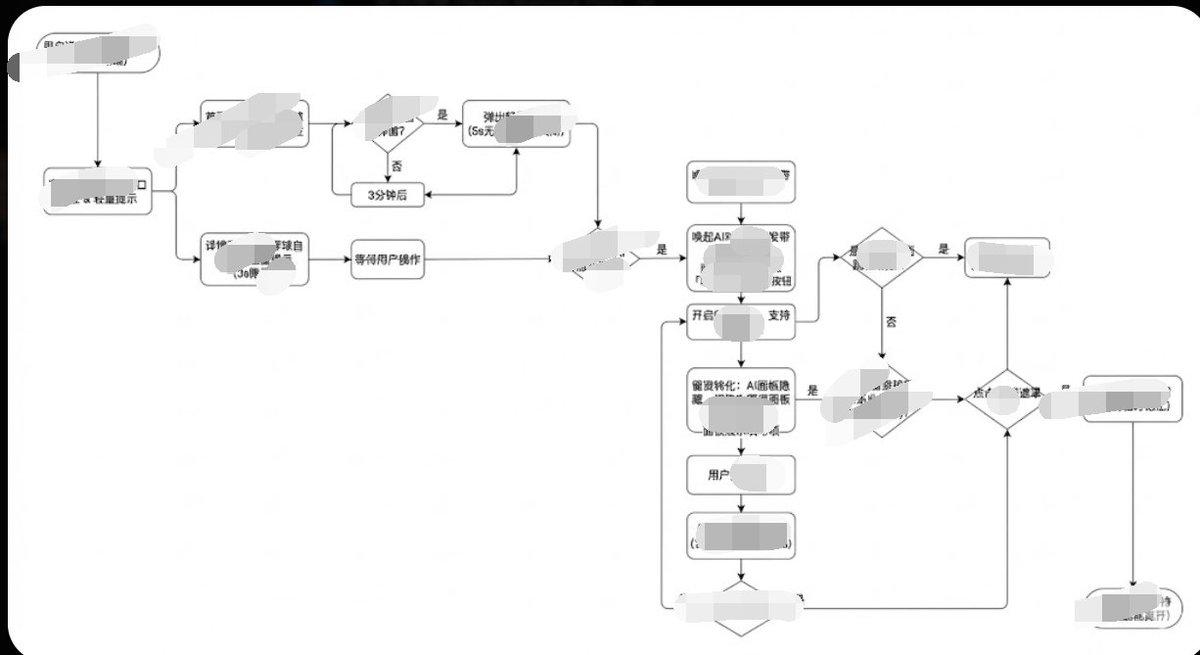
Generate image, 1. Style Core Parameter Extraction (Style Guide)
Please refer to the following parameters:
Color Palette:
Background: Pure white (#FFFFFF)
Lines/Borders: Dark gray or pure black (#333333 or #000000)
Text: Dark gray (#333333), regular weight, no bold.
Fill: No fill (transparent) or pure white fill, to cover lines behind.
Lines/Connectors:
Type: Orthogonal/Elbow lines, meaning only vertical and horizontal lines, with right-angle corners.
Thickness: Extremely thin (1px).
Arrow: Solid small triangle (Solid Arrowhead), black.
Shapes:
Normal Node: Rounded Rectangle, very small corner radius (approx. 4px - 8px).
Decision Node: Diamond.
Start/End: Capsule shape or rectangle with larger rounded corners.
Typography:
Alignment: Center aligned.
Font: Sans-serif font, such as Arial, Roboto, or Source Han Sans. Small font size (approx. 12px-14px).

Apply the style above along with your user journey/process to Gemini, and it will present the corresponding effect without needing adjustments.



0 Comments
👥 Co-learning Circle 0
Observe other members' variables & configurations, and click "Study & Retry" to instantly import settings and practice!