

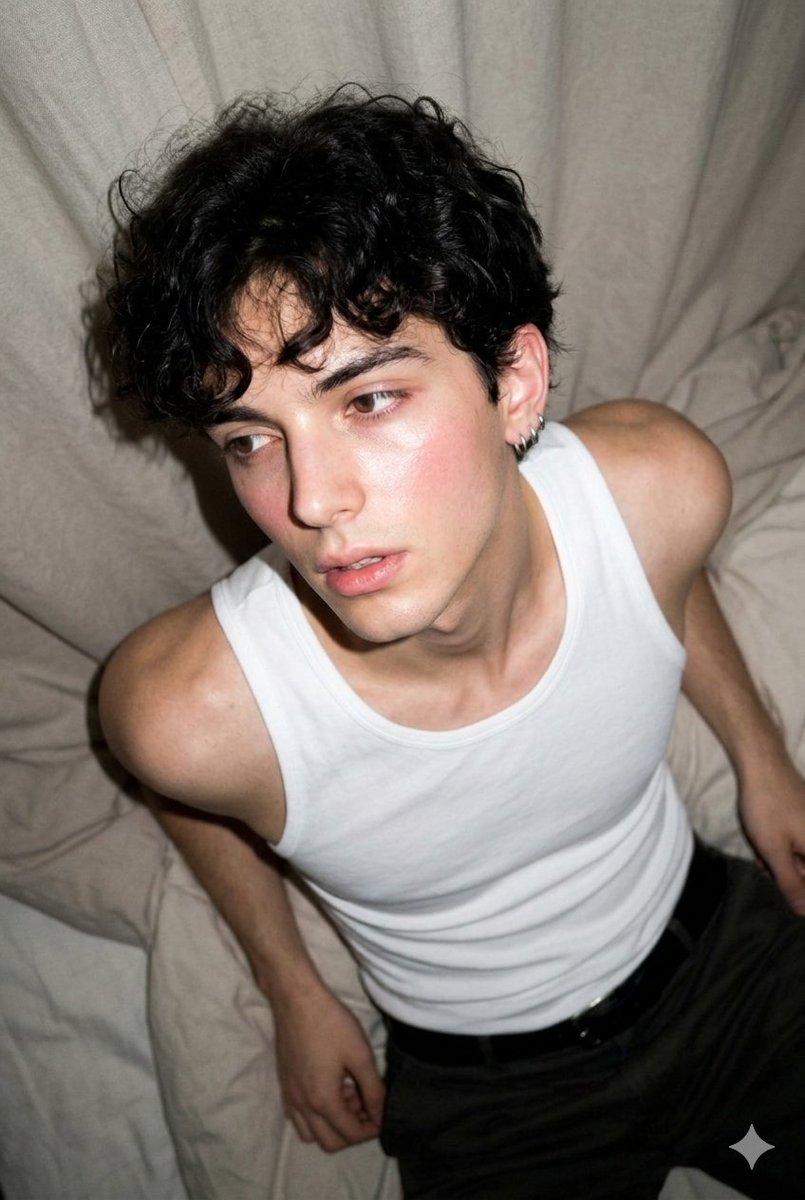
A hyper-photorealistic shot of the same subject in the attached image, preserving exact facial identity, bone structure, proportions, and natural asymmetry with high fidelity. Main subject / quality details: young [subject], toned arms visible, natural skin texture with visible pores, rosy complexion and dewy skin, soft highlight on collarbone and shoulders Expression or mood: laid-back expression, slightly parted lips, eyes looking off-camera with relaxed confidence Camera settings: shot on an [camera], early-2000s digicam aesthetic, direct on-camera flash, harsh flash falloff, visible grain and digital noise, slightly overexposed highlights, flattened shadows, soft contrast, mildly washed colors, cool-to-neutral white balance, slight motion blur, low-light snapshot feel, candid and imperfect composition, crisp flash-lit subject, nostalgic compact-camera look, realistic unpolished image quality Hair: [hair style], slightly tousled from resting position Outfit: white sleeveless tank top, relaxed-fit dark trousers, minimal jewelry Background: soft fabric bedding with subtle wrinkles, neutral-toned indoor setting with natural window light Composition: top-down diagonal angle, body stretched across frame, asymmetrical placement, leading lines from fabric folds Negative prompt: cartoonish, AI-looking, plastic skin, distorted anatomy, over-smoothed face, blurry face, heavy bokeh, stiff pose, center-facing ID-photo style



0 Comments
👥 Co-learning Circle 0
Observe other members' variables & configurations, and click "Study & Retry" to instantly import settings and practice!