

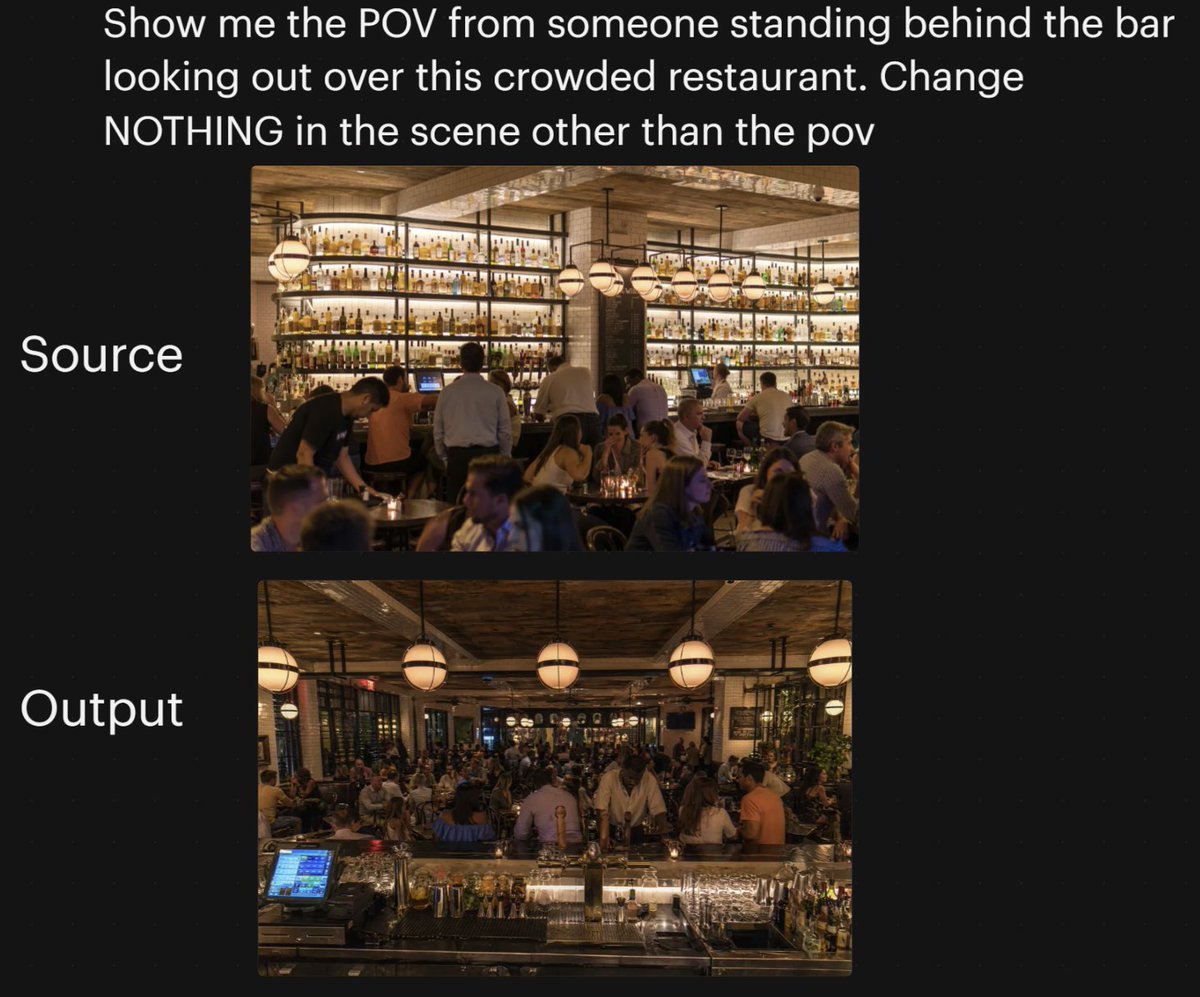
A side-by-side social media comparison graphic on a dark black background, showing a camera-angle transformation test for a busy restaurant interior. At the very top, large white sans-serif text reads: [headline text]. Below that, centered on the page, are 2 vertically stacked rectangular photos with rounded corners. To the left of the top image, large white text reads "Source"; to the left of the bottom image, large white text reads "Output". The top image shows the original restaurant scene from the customer side facing the back bar: a warm, upscale, crowded restaurant at night with a massive illuminated wall of liquor bottles on shelves, wood ceiling beams, hanging globe pendant lights, bartenders and servers working, and many seated guests in the foreground and midground. The lower image shows the same restaurant with the same lighting, décor, crowd density, bottle wall, pendant lights, and overall atmosphere, but from a new viewpoint: the camera is now standing behind the bar looking outward across the crowded dining room. In the foreground of the lower image, include the bar counter surface with glassware, bottles, metal bar tools, and a glowing POS touchscreen at front left, reinforcing the behind-the-bar POV. Keep both photos photorealistic, warm amber lighting, lively evening ambiance, and maintain the sense that the lower image is the same scene with only the camera angle changed. Add subtle social-post styling with generous margins and clean layout, suitable for a tweet screenshot or AI image comparison post.



0 Comments
👥 Co-learning Circle 0
Observe other members' variables & configurations, and click "Study & Retry" to instantly import settings and practice!