

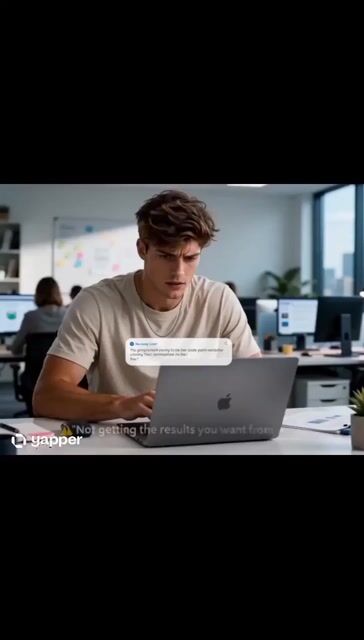
Scene 1 (0–3 sec)
Image Prompt:
A young person sitting at a desk, frustrated while using an AI chatbot on a laptop, generic and disappointing results on the screen, modern room, realistic photography, cinematic lighting, professional advertisement, 4K.
On-screen Text: ❌ "Not getting the results you want from AI?"
Scene 2 (3–6 sec)
Image Prompt:
Close-up of hands typing a detailed AI prompt on a laptop, glowing futuristic interface, digital text floating around the screen, modern workspace, cinematic, ultra realistic, 4K.
On-screen Text: 💡 "The problem isn't AI..." Next line: "It's the prompt."
Scene 3 (6–9 sec)
Image Prompt:
AI generating impressive content, creative designs, marketing materials, and ideas emerging from a computer screen as holographic visuals, futuristic technology theme, high detail, 4K.
On-screen Text: ✅ Better Content
✅ Better Ideas
✅ Better Results
Scene 4 (9–12 sec)
Image Prompt:
Confident professional working efficiently with AI, multiple successful projects displayed on floating digital screens, productivity and innovation theme, cinematic commercial photography, 4K.
On-screen Text: 🚀 "One great prompt can change everything."
Scene 5 (12–15 sec)
Image Prompt:
Futuristic AI assistant made of glowing digital particles, blue neon lighting, powerful technology background, premium advertisement style, ultra realistic, cinematic, 4K.
On-screen Text: 🤖 "Master AI Prompting" Tagline: "Prompt Smarter. Create Faster."



0 Comments
👥 Co-learning Circle 0
Observe other members' variables & configurations, and click "Study & Retry" to instantly import settings and practice!