

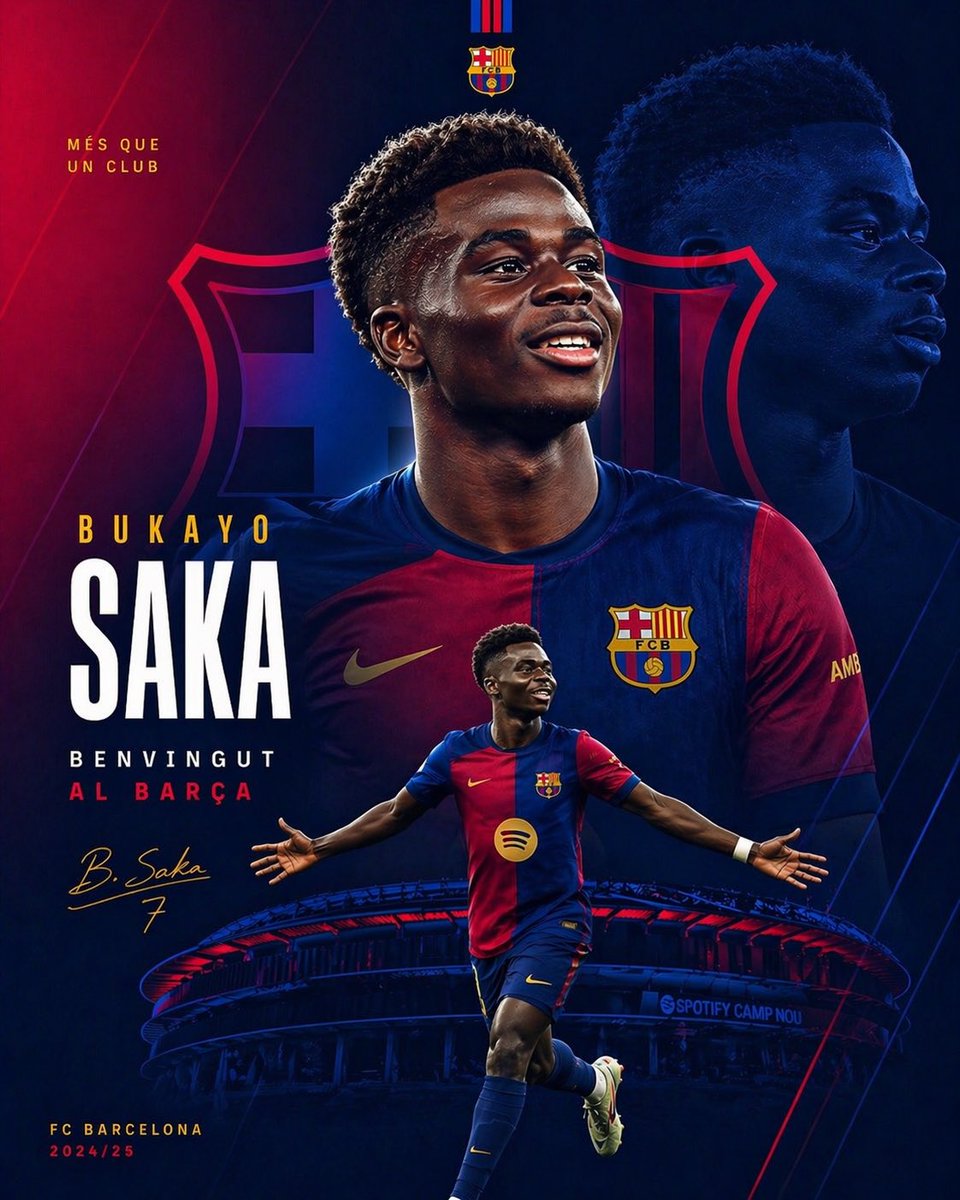
Create a dramatic football transfer announcement poster for [player name] joining [club name]. Use a vertical 4:5 sports-poster composition with a deep electric blue and crimson red color grade, high contrast lighting, cinematic shadows, subtle glow, and premium social-media graphic design styling. Center a large chest-up portrait of the player wearing the [jersey description], facing forward with a serious confident expression. Behind him, place a much larger low-opacity side portrait of the same player on the right side as a background layer, tinted dark blue. Add a huge faint FC Barcelona crest spanning the middle background, blended into the red-blue gradient. At the very top center, place 2 club identifiers: the FC Barcelona crest and above it a small vertical red-and-blue striped motif. On the upper left, include the text “MÉS QUE UN CLUB” in small gold uppercase letters. On the left lower-middle, create a bold typographic name stack with 2 lines: small gold uppercase first name “BUKAYO” above very large white condensed sans-serif “SAKA”. Below that, add 2 welcome lines in uppercase: “BENVINGUT” in white and “AL BARÇA” in red. Add a gold handwritten-style signature reading “B. Saka” with the number “7” beneath it. In the foreground near the lower center, place a full-body action pose of the same player running forward with arms stretched wide in celebration, wearing the same Barcelona kit, navy socks, light boots, and a white wrist wrap. At the bottom, show a stylized illuminated view of Spotify Camp Nou curving across the width of the poster in dark blue with red highlights, with small visible stadium text “SPOTIFY CAMP NOU”. In the bottom left corner, include 2 small lines of text: “FC BARCELONA” in gold and “2024/25” in red. Add a small gold sleeve detail on the right shoulder area. Keep the layout clean, layered, modern, and aspirational, like an elite club transfer reveal graphic. Use sharp photo-illustration compositing, realistic fabric texture, glossy highlights, and polished poster finish.



0 Comments
👥 Co-learning Circle 0
Observe other members' variables & configurations, and click "Study & Retry" to instantly import settings and practice!