

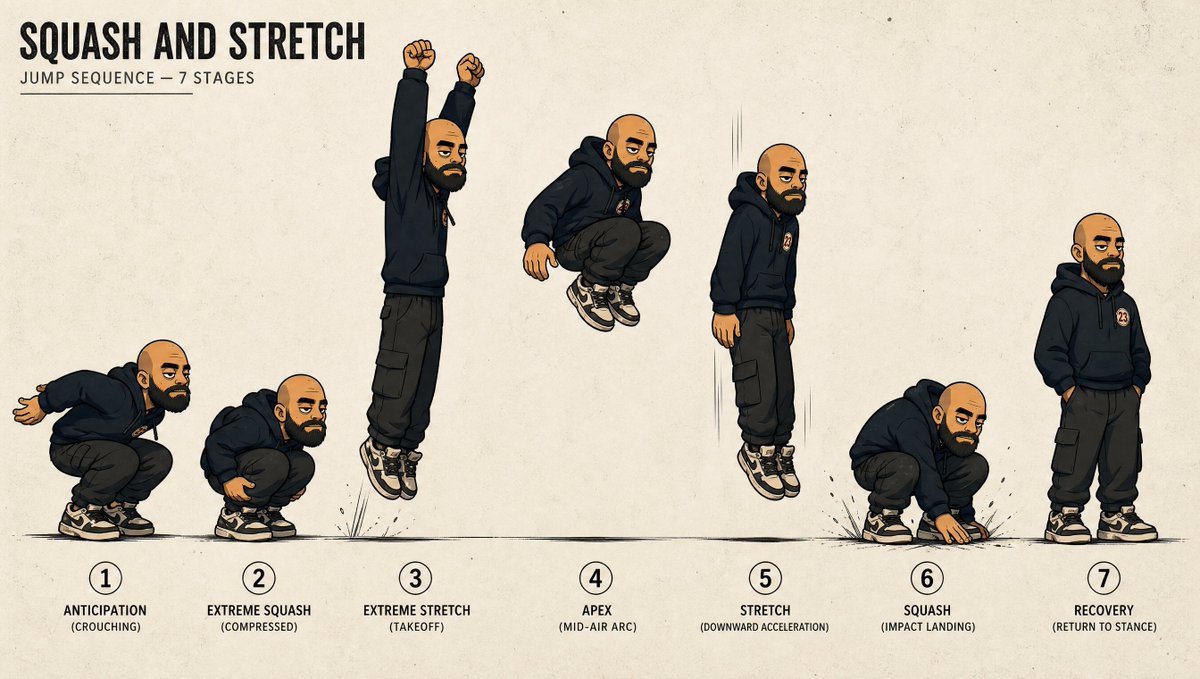
Using REFERENCE_0 as the character base, create a clean animation movement sheet that turns the character into a full-body jump sequence study while preserving the same outfit, badge, bald head, shoes, stylized ink-and-color illustration look, and the censored/blurred face treatment. Expand the view from the cropped portrait into a wide beige paper-textured layout with a ground line, subtle motion lines, small impact marks, and instructional typography. Add the title text [title text] at the upper left with the subtitle [subtitle text]. Show exactly 7 numbered poses arranged left to right across the page: 1 “ANTICIPATION (CROUCHING)” with the character crouched and arms back; 2 “EXTREME SQUASH (COMPRESSED)” with a deeper compact crouch; 3 “EXTREME STRETCH (TAKEOFF)” with the character elongated upward, arms raised, feet leaving the ground; 4 “APEX (MID-AIR ARC)” with the character tucked in midair; 5 “STRETCH (DOWNWARD ACCELERATION)” with the character stretched vertically while descending; 6 “SQUASH (IMPACT LANDING)” with the character compressed on landing, one hand touching the ground; 7 “RECOVERY (RETURN TO STANCE)” with the character standing relaxed with hands in pockets. Use bold black uppercase labels under each numbered stage, keep consistent character proportions across poses except for the intentional squash-and-stretch deformation, and make the sheet read like a professional 2D animation reference chart.



0 Comments
👥 Co-learning Circle 0
Observe other members' variables & configurations, and click "Study & Retry" to instantly import settings and practice!