

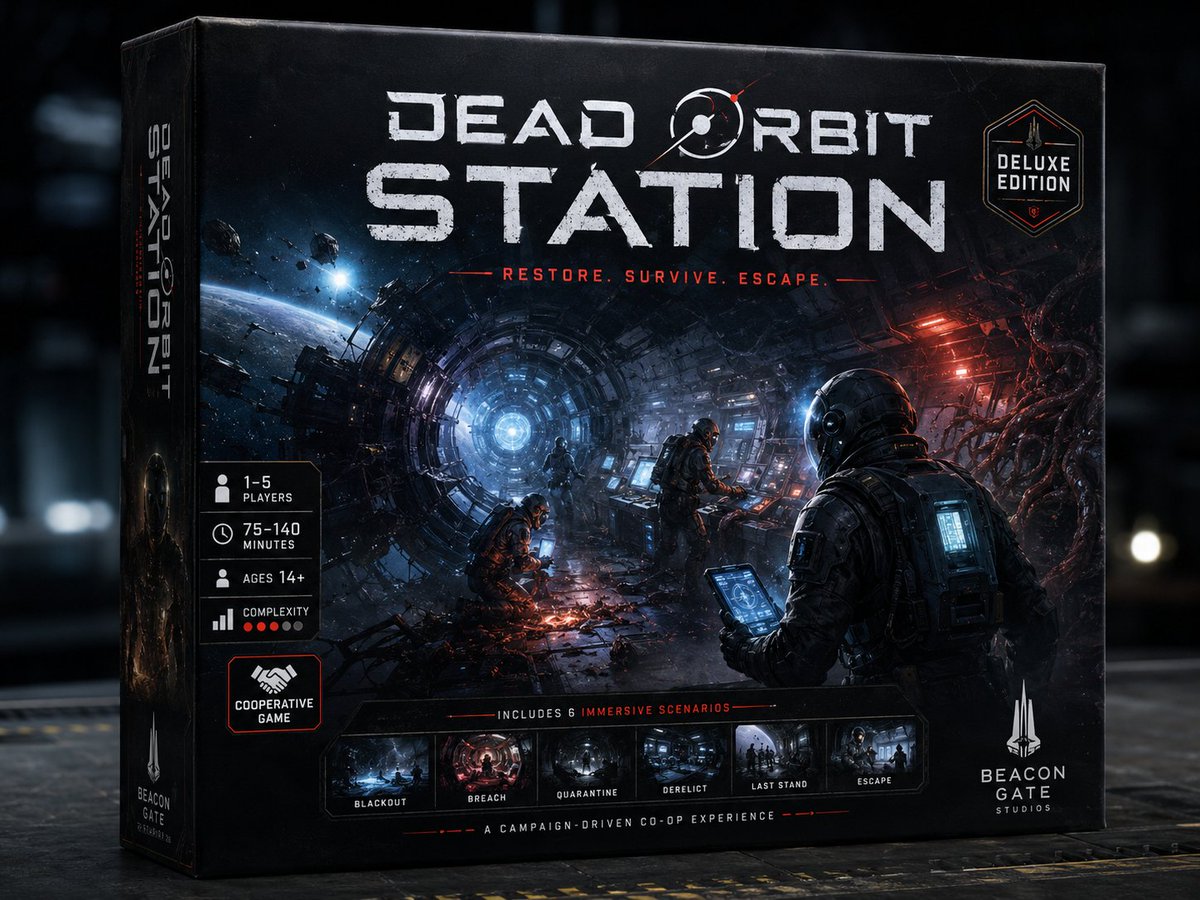
Goal: Create a premium, highly believable deluxe board game box front for an imaginary sci-fi horror tabletop game titled [game title]. Make it look like a real premium hobby-store product: strategic, collectible, cinematic, shelf-worthy, and instantly recognizable.

Canvas: Landscape product mockup, 4:3 aspect ratio, photorealistic 3D board game box standing on a dark industrial tabletop. Show the front face large and slightly angled, with the left spine visible. Use dramatic studio lighting, subtle depth of field, worn cardboard edges, matte-black box texture, scuffs, scratches, and realistic print finish.

Main artwork: The box cover shows a vast ruined orbital station interior, like a circular tunnel or ring corridor receding toward a glowing blue-white core in the center-left distance. Outside the broken station, show cold space, a curved planet horizon, floating asteroids, and debris. Inside the corridor, use blue emergency light on the left and red warning light on the right. Include exactly 3 astronauts/survivors in dark bulky space suits: one large foreground survivor on the right seen from behind holding a glowing tablet, one standing midground at a control console, and one crouched near sparks or wreckage in the lower center. Add cables, exposed machinery, damaged panels, smoke, sparks, and organic alien tendrils or infestation creeping in from the right side.

Title typography: At the top, place a huge distressed white sci-fi title reading [game title]. The word “DEAD ORBIT” sits above the much larger word “STATION.” Incorporate a small orbital ring / planet symbol into the title near “ORBIT,” with a tiny red orbital accent. Under the title, add a red tagline reading [tagline] with thin red horizontal lines on both sides.

Edition badge and publisher: In the upper-right corner, add a hexagonal premium badge reading [edition label]. In the bottom-right corner, add a minimalist white rocket/spire logo and publisher text reading [publisher name].

Left information panel: Along the left side of the front face, create exactly 5 stacked black specification badges with thin borders and white icons/text. The 5 badges must be: 1) “1–5 PLAYERS” with a player icon, 2) “75–140 MINUTES” with a clock icon, 3) “AGES 14+” with a person icon, 4) “COMPLEXITY” with a bar-chart icon and 5 small red rating dots, 5) a larger outlined badge with a handshake icon reading “COOPERATIVE GAME.”

Bottom scenario strip: Across the lower front cover, include a dark inset strip labeled “INCLUDES 6 IMMERSIVE SCENARIOS.” Inside the strip, show exactly 6 small cinematic scenario thumbnails with labels beneath them: 1) “BLACKOUT,” 2) “BREACH,” 3) “QUARANTINE,” 4) “DERELICT,” 5) “LAST STAND,” 6) “ESCAPE.” Below this, add a thin red divider and small white text reading “A CAMPAIGN-DRIVEN CO-OP EXPERIENCE.”

Spine: On the visible left spine, repeat the vertical game title “DEAD ORBIT STATION,” with a small circular sci-fi emblem and a small publisher mark near the bottom.

Visual style: Dark premium sci-fi horror, cinematic realism, ultra-detailed box art, high-contrast blue and red lighting, distressed white typography, subtle red accents, realistic cardboard box construction, hobby board game product photography, sharp front face with slightly blurred dark warehouse background.

Constraints: Do not add real brands, barcodes, age-rating logos, price stickers, watermarks, or extra scenario thumbnails. Keep all text legible and aligned like a professionally printed board game box.



0 Comments
👥 Co-learning Circle 0
Observe other members' variables & configurations, and click "Study & Retry" to instantly import settings and practice!