

[AI Instruction: Conversion from Image to Ornament]
Carefully analyze the provided **[Input Image]**.
Color Extraction: Extract the main color palette and atmosphere from the [Input Image] and apply it to the overall theme of the wreath (ribbons, flowers, balls).
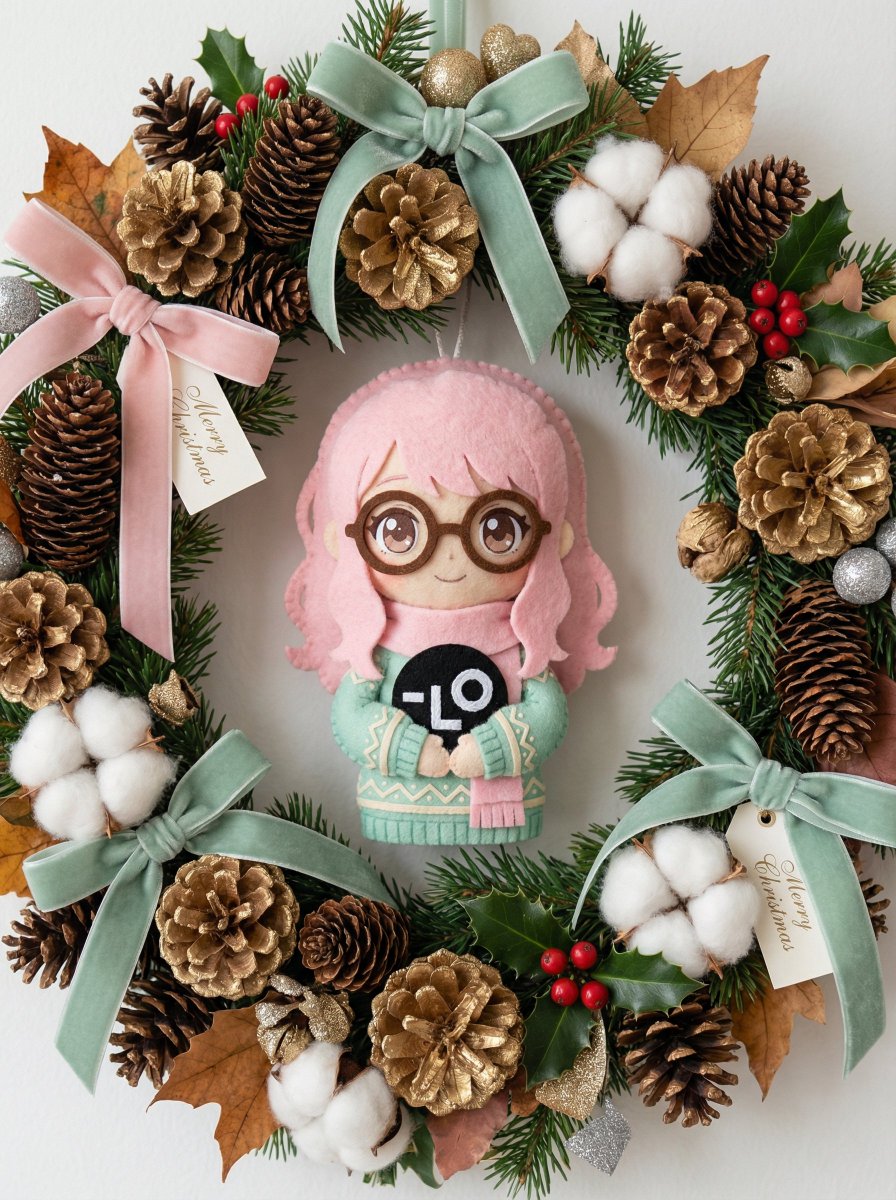
Motif Creation: Identify the main character or object in the [Input Image] and reimagine it as a cute, handmade Christmas ornament (e.g., felt plush, wood carving, icing cookie style). Place this custom ornament prominently on the wreath.
[Main Subject]
A beautiful, high-quality Christmas wreath hung on a simple white wall (or held by hand). It features a luxurious combination of materials. The design is dense, gorgeous, and voluminous.
[Theme-Specific Decoration (Based on Input Image)]

Centerpiece/Charm: The main theme of the [Input Image] transforms into an attractive 3D ornament attached to the wreath. It looks like a high-quality handmade item (felt wool, painted wood, ceramics, etc.) that perfectly matches the wreath's style.
Palette: Flowers, berries, and ornaments strictly follow the color scheme of the [Input Image].
[Base Material (Reference Style)]
Resembles the texture of a luxury wreath.
Natural Materials: Abundant pine cones (gold-dusted or natural), fluffy cotton flowers, dried leaves, evergreen sprigs, and holly berries.
Accents: Velvet or burlap ribbons, elegant typography (such as "[Typography]" or "[Typography 2]"), and stylish paper tags accented with gold/silver glitter.
[Atmosphere and Quality]
Soft, bright natural light. Shallow depth of field to emphasize texture. Photorealistic 8K, macro detail of materials, conveying a cozy holiday season atmosphere.



0 Comments
👥 Co-learning Circle 0
Observe other members' variables & configurations, and click "Study & Retry" to instantly import settings and practice!