

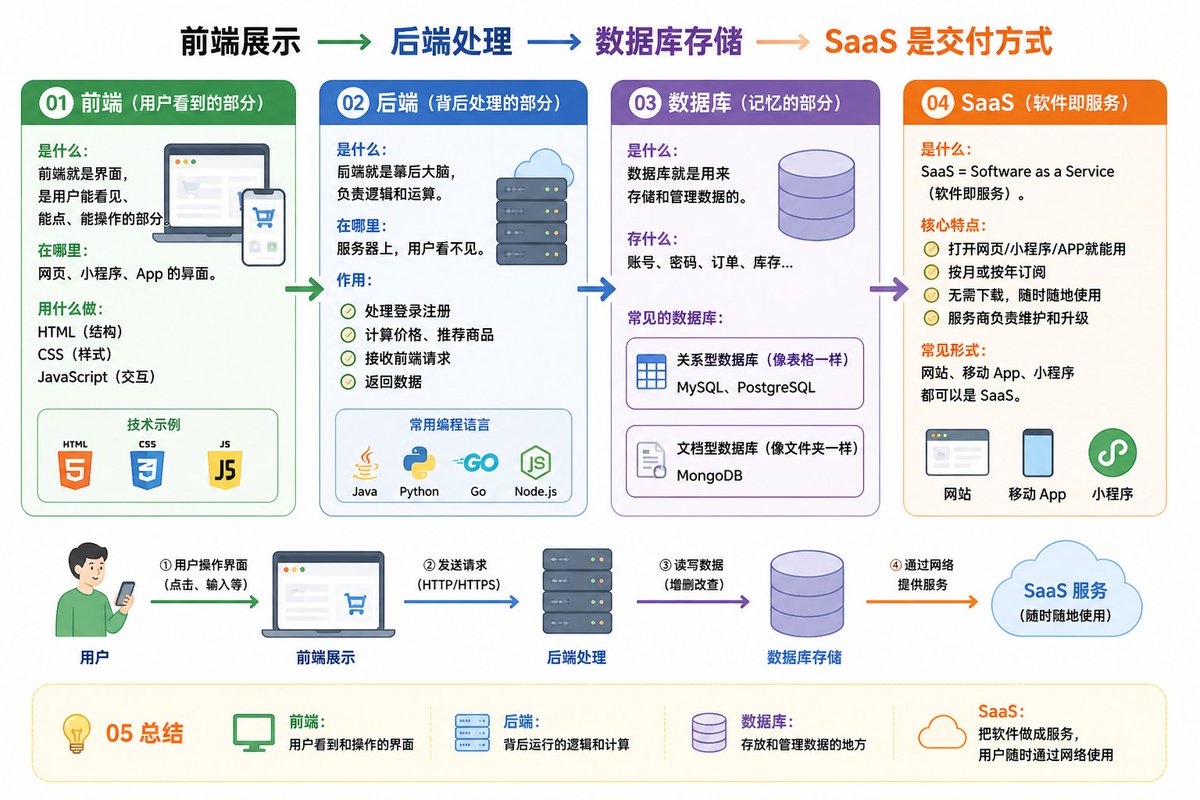
01 Frontend (the part users see)

What it is: The interface that users can see, click, and interact with.
Where it is: Interfaces for websites, mini-programs, and apps.
Tools: HTML (structure), CSS (styling), JavaScript (interaction).

02 Backend (the processing part behind the scenes)

What it is: The brain behind the scenes, responsible for logic and calculation.
Where it is: On the server, invisible to users.
Function:
Handles login and registration
Calculates prices and recommends products
Receives frontend requests and returns data
Common languages: Java, Python, Go, JavaScript (Node.js)

03 Database (the memory part)

What it is: Used to store and manage data.
What it stores: Accounts, passwords, orders, inventory...
Common databases:
MySQL, PostgreSQL (relational, like tables)
MongoDB (document-based, like folders)

04 SaaS (Software as a Service)

What it is: SaaS = Software as a Service.
Core features:
Usable via web, mini-program, or app
Monthly or annual subscription
Common forms: Websites, mobile apps, and mini-programs can all be SaaS.

05 Summary

Frontend: User-visible interface
Backend: Logic and calculation behind the scenes
Database: Storage and management of data
SaaS: Delivering software as a service over the network
Frontend display → Backend processing → Database storage → SaaS delivery method
Help me draw an easy-to-understand diagram based on the content above.



0 Comments
👥 Co-learning Circle 0
Observe other members' variables & configurations, and click "Study & Retry" to instantly import settings and practice!