

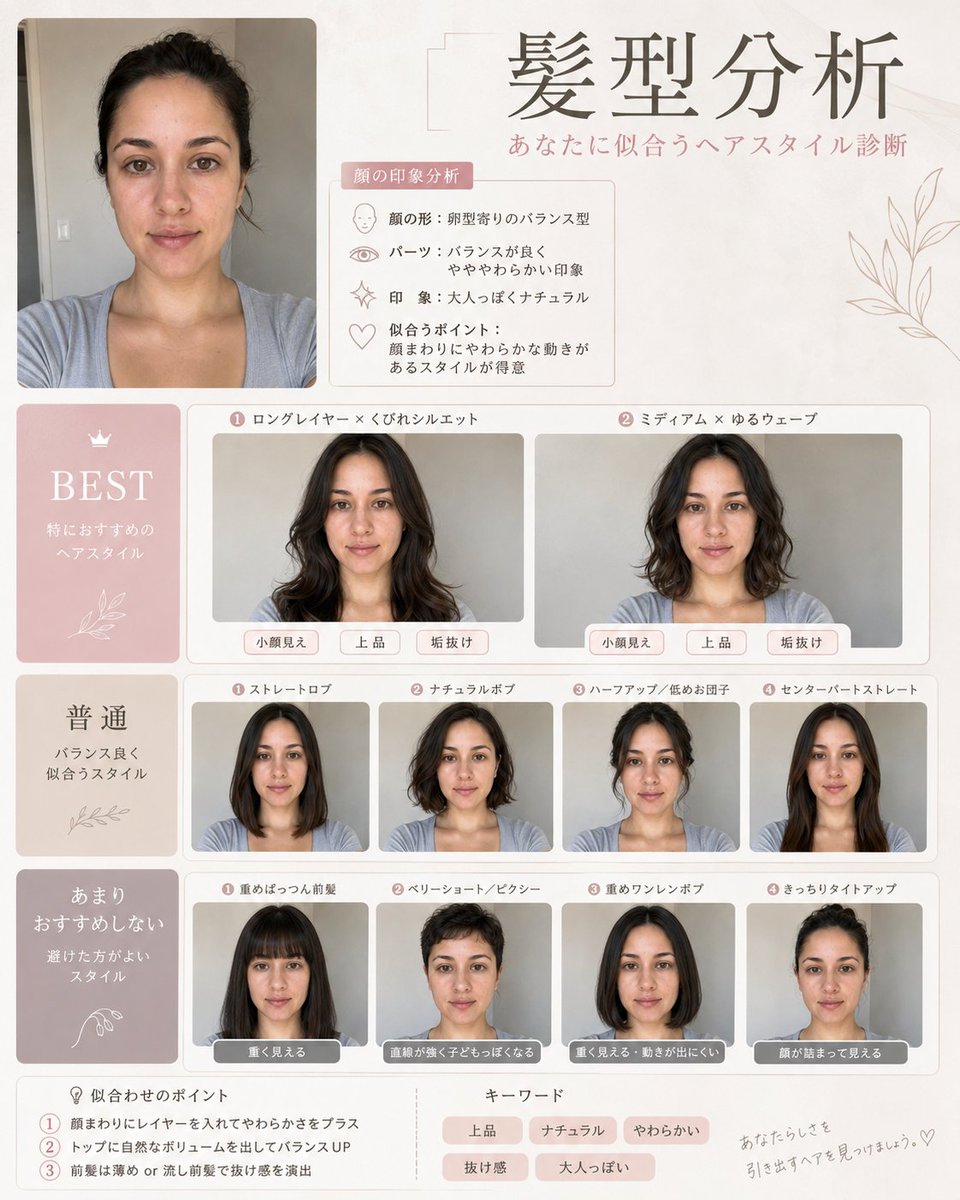
Hairstyle Analysis:
Based on the uploaded face photo, I want you to create a hairstyle diagnosis image with a [style] feel! Keep the original facial features, face shape, and atmosphere as they are, and make it look like different hairstyles were tried in side-by-side or sequential comparisons. Make it easy to tell at a glance which ones are "Best Match," "Average," and "Not Recommended," conveying how each hairstyle makes the face look smaller, improves the vibe, or makes the person look more sophisticated. I want to compare long hair, short hair, with/without bangs, curly hair, straight hair, layers, updos, etc. The design should be stylish, like a professional stylist's document. Keep the text minimal and high quality for social media!
Makeup Analysis Guide:
Based on the uploaded face photo, create a luxurious makeup analysis guide image! Use the original facial features as a base, with a natural finish where it's clearly the same person, without over-applying or over-processing. Also, diagnose and summarize the face type (Fresh, Soft Elegant, Elegant, Feminine, Cute, Active Cute, Cool, Cool Casual, Adult Face, Child Face, Curved, Linear). Use a sophisticated design like a magazine beauty feature, with [language] notation throughout. Keep text to a minimum, focusing on the images for clarity. Please aim for a professional level of completion that makes people want to share it on SNS!



0 Comments
👥 Co-learning Circle 0
Observe other members' variables & configurations, and click "Study & Retry" to instantly import settings and practice!