

AAWEA.ORG
AAWEA.ORG
AAWEA.ORG

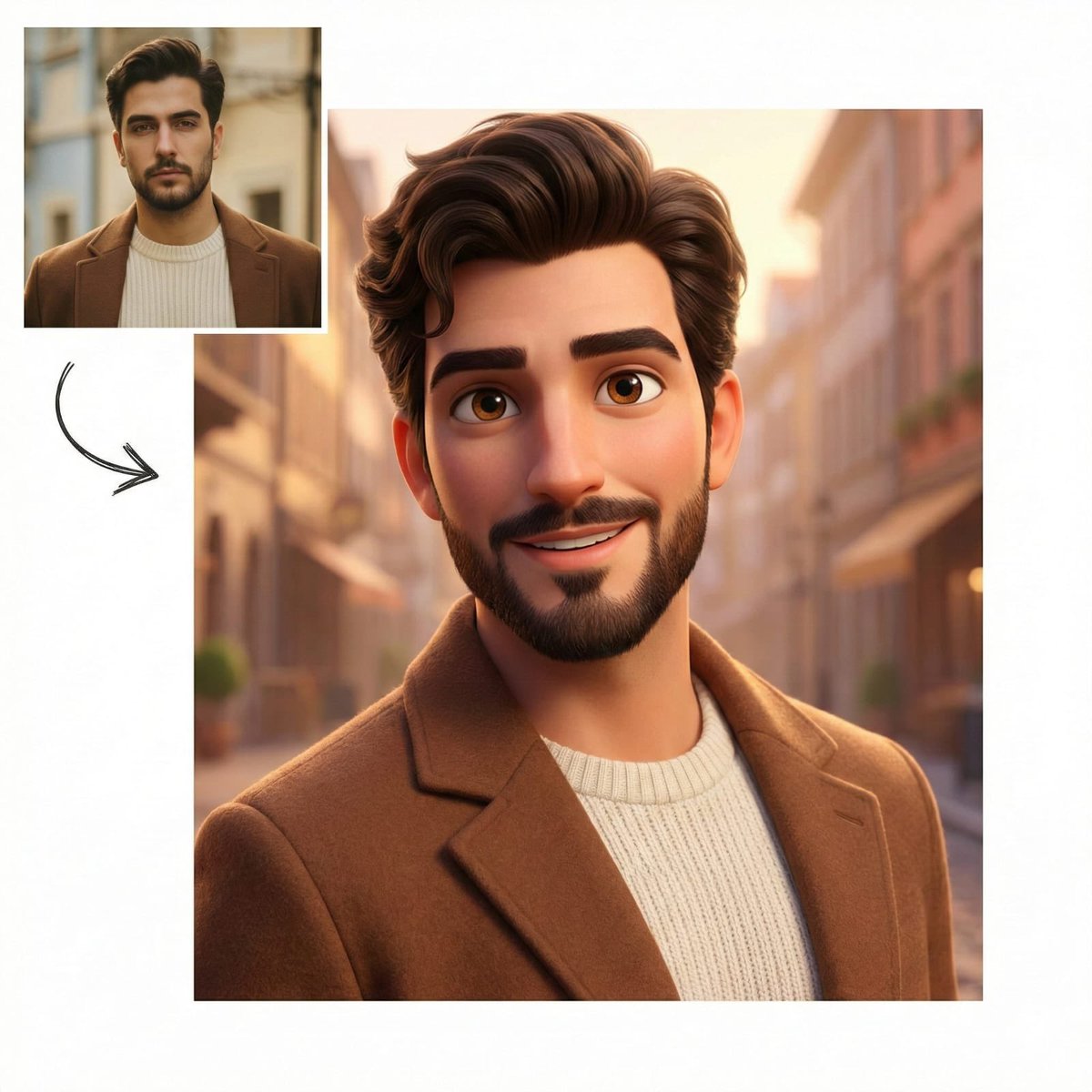
Pixar-Style Character Comparison Prompt

Pixar-Style Character Comparison Prompt
πŸ“ Prompt Template
Create a clean comparison-style composition on a white background. Include a small square inset of the original reference photo in the top-left corner, unchanged and realistic. Add a hand-drawn curved arrow pointing toward a larger main image. The main image is a high-quality 3D Pixar-style character version of the same person, preserving facial structure, beard, glasses, hairstyle, and clothing. Friendly smile, expressive eyes, smooth stylized skin. Red gradient studio background, soft cinematic lighting, ultra-detailed, premium 3D render, 4K quality.
πŸ’‘ About This Prompt

A prompt designed to create a clean comparison image on a white background. It includes a small inset of the original reference photo and a larger main image showing a high-quality 3D Pixar-style character version of the same person, preserving facial features and clothing, rendered with soft cinematic lighting and a red gradient background.

J
Jack
@jack
Metadata
Published Jun 12, 2026
Model
Nano Banana Pro 10 cr/run
Category
Art & Illustration
0
Likes
0
Views
0
Shares
0
Comments
0
Bookmarks
0
Uses
⚑ TRY IT NOW
Share Now

0 Comments

Sign in to join the discussion
πŸ’¬
No comments yet. Be the first!

πŸ‘₯ Co-learning Circle 0

Observe other members' variables & configurations, and click "Study & Retry" to instantly import settings and practice!

πŸ‘₯
No users have run this prompt yet.
Preview
