

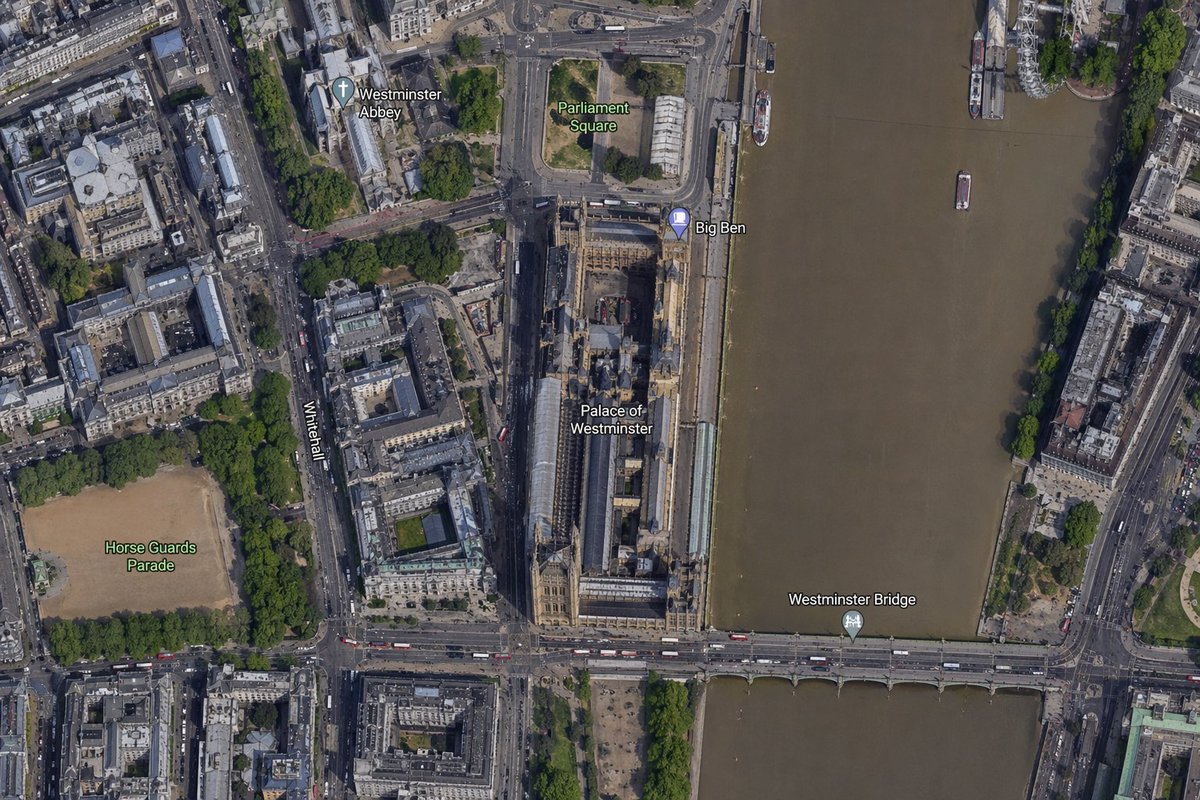
A high-resolution top-down satellite map view of central [city], focused tightly on the area around [landmark] and the Palace of Westminster beside the River Thames. Show a realistic aerial orthographic perspective like a modern digital map or satellite layer, with detailed rooftops, streets, trees, shadows, and brownish river water. Place the long Palace of Westminster complex vertically near the center-right, directly along the west bank of the river, with Big Ben at the northeast corner of the palace near the river edge. A bridge labeled [bridge name] crosses horizontally near the bottom of the frame from left to right over the river. Include 6 visible map labels total: [label 1], [label 2], Big Ben, Palace of Westminster, Westminster Bridge, and Horse Guards Parade. Also show Whitehall as a labeled road running vertically on the left side of the palace area. Surrounding details should include Westminster Abbey in the upper left quadrant, Parliament Square above the palace, Horse Guards Parade as a large sandy rectangular ground in the lower left quadrant, dense city blocks and roads on the left half, the River Thames occupying the full right side, embankments on both sides, a few boats on the river, and tree-lined streets and parks. Use natural satellite-image colors, crisp cartographic label overlays, and the look of a zoomed-in online maps screenshot.



0 Comments
👥 Co-learning Circle 0
Observe other members' variables & configurations, and click "Study & Retry" to instantly import settings and practice!