

AAWEA.ORG
AAWEA.ORG
AAWEA.ORG

Sketch to CAD-Style Line Art Conversion Prompt

Sketch to CAD-Style Line Art Conversion Prompt
πŸ“ Prompt Template
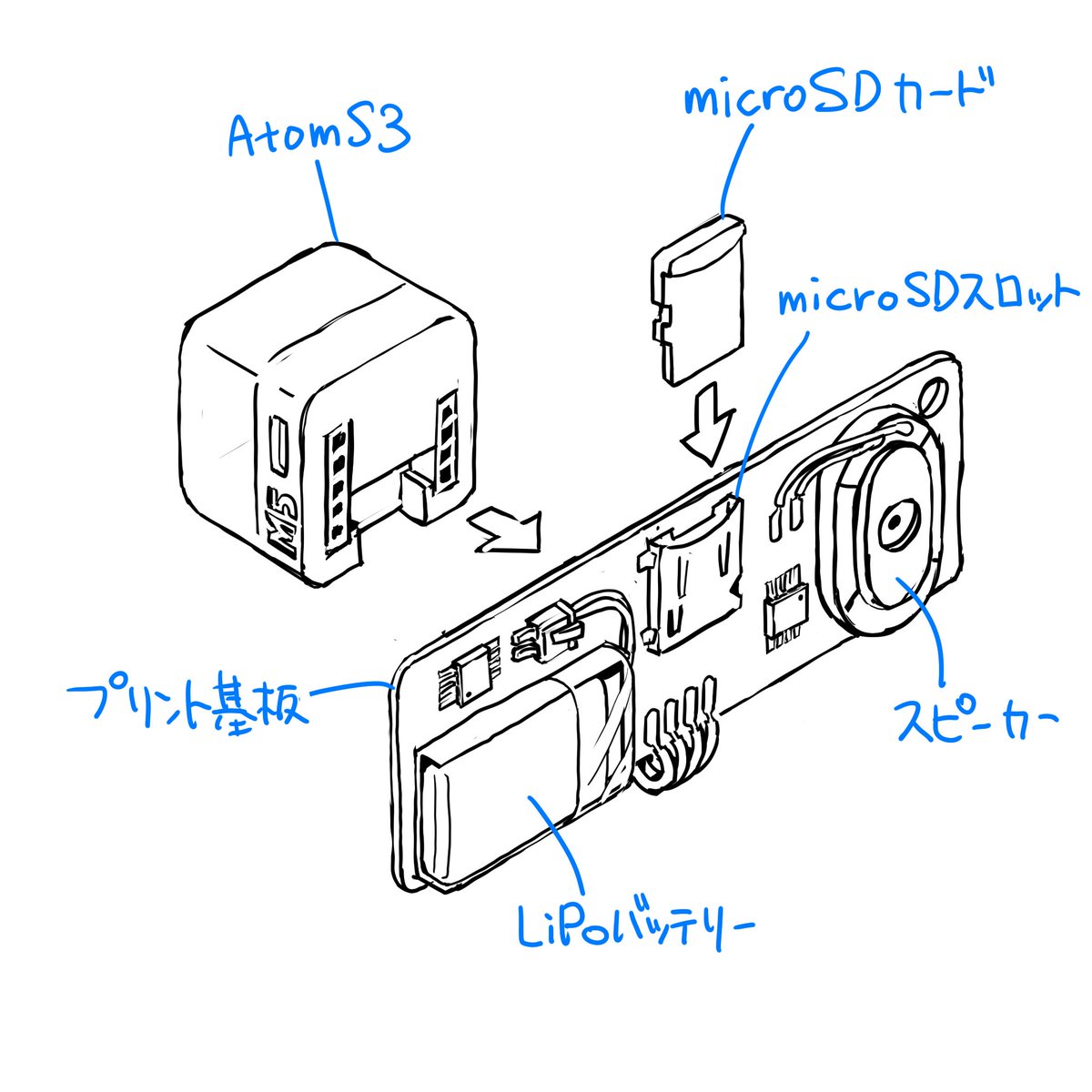
Please finalize this rough sketch and create line art. Read and refer to the blue text annotations, eliminate the ambiguity and roughness associated with handwriting, and create precise line art as if output from a CAD tool. Vary the line thickness, such as making ridge lines thicker. Delete the blue text and lines, and do not include them in the output image.

Please finalize this rough sketch in the same manner.
πŸ’‘ About This Prompt

A two-part prompt sequence for Nano Banana Pro (using its 'Thinking Mode') to convert a rough sketch into precise, CAD-like line art. The first prompt instructs the model to finalize the rough sketch, referencing blue text annotations, removing ambiguity, and applying line weight variation. The second prompt is a follow-up instruction to apply the same style to subsequent rough sketches.

οΏ½
γ‚·γƒ£γƒγ‚³πŸŒ΅
@γ‚·γƒ£γƒγ‚³πŸŒ΅
Metadata
Published Jun 12, 2026
Model
Nano Banana Pro 10 cr/run
Category
Statistics
0
Likes
0
Views
0
Shares
0
Comments
0
Bookmarks
0
Uses
⚑ TRY IT NOW
Share Now

0 Comments

Sign in to join the discussion
πŸ’¬
No comments yet. Be the first!

πŸ‘₯ Co-learning Circle 0

Observe other members' variables & configurations, and click "Study & Retry" to instantly import settings and practice!

πŸ‘₯
No users have run this prompt yet.
Preview
