

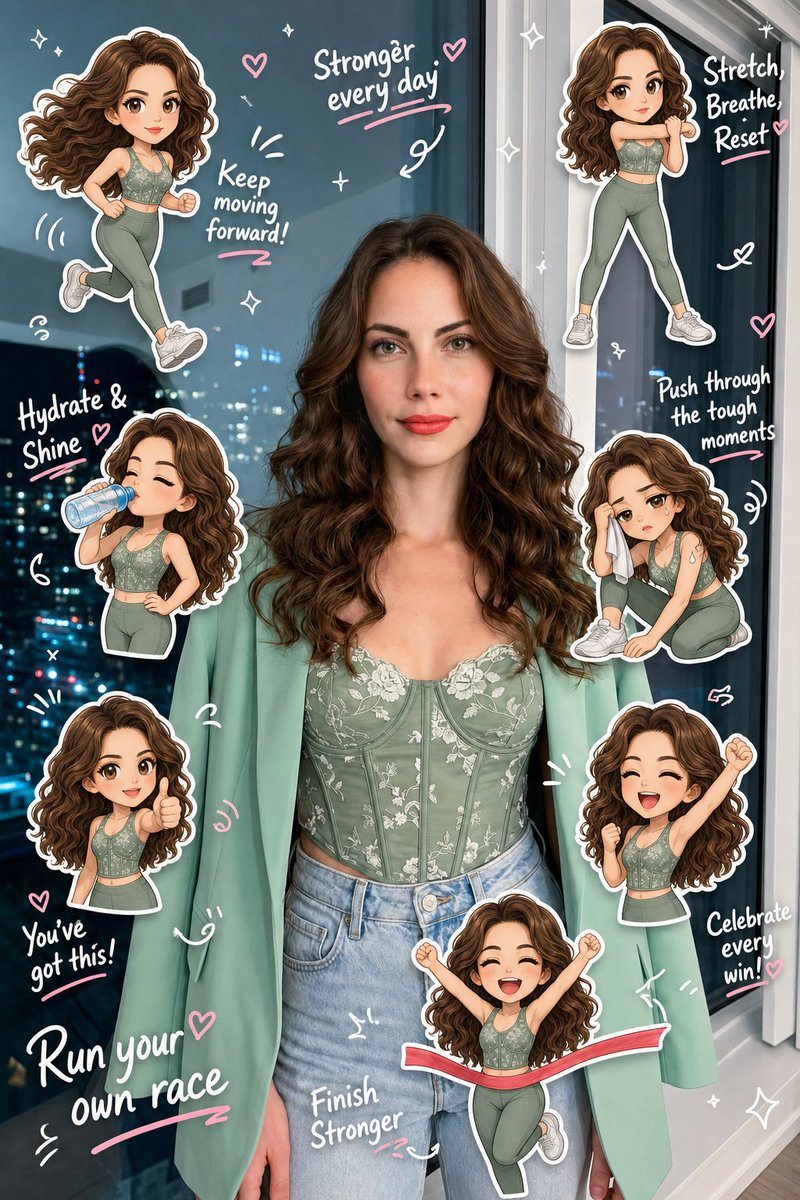
Create a high-quality “[style]” based on the uploaded real-life image. Preserve the original person’s identity, face, hairstyle, hair color, outfit, body proportions, pose, lighting, and background. Do not alter facial features or turn the subject into a full illustration—maintain a realistic photo look.
Analyze the scene as a [activity] lifestyle moment. Add 5–8 chibi mini clones of the same person around the subject, designed in a consistent kawaii sticker style (big head, small body, large expressive eyes, clean digital finish). Each clone must clearly resemble the real person (same hair, outfit, colors).
Design each chibi with different [action theme] and emotions: jogging, stretching, drinking water, feeling tired, cheering, giving thumbs up, celebrating completion. Ensure all poses are unique and contextually relevant.
Render each chibi as a sticker with white outlines, soft shadows, and a slightly floating effect. Arrange them around the subject and edges without covering the face or main body.
Add light hand-drawn doodles (hearts, sparkles, arrows, motion lines, circles) in white with subtle pink accents, keeping a clean scrapbook diary feel.
Include 5–8 short handwritten-style phrases matching a fitness mood (cute, energetic, encouraging). Use mostly white text with slight pink highlights and small decorative marks.
Composition: keep the real person as the central focus, surrounded by chibi stickers and doodles. The result should feel like a polished, playful, high-resolution social media lifestyle diary image—clean, balanced, and visually rich without clutter.



0 Comments
👥 Co-learning Circle 0
Observe other members' variables & configurations, and click "Study & Retry" to instantly import settings and practice!