

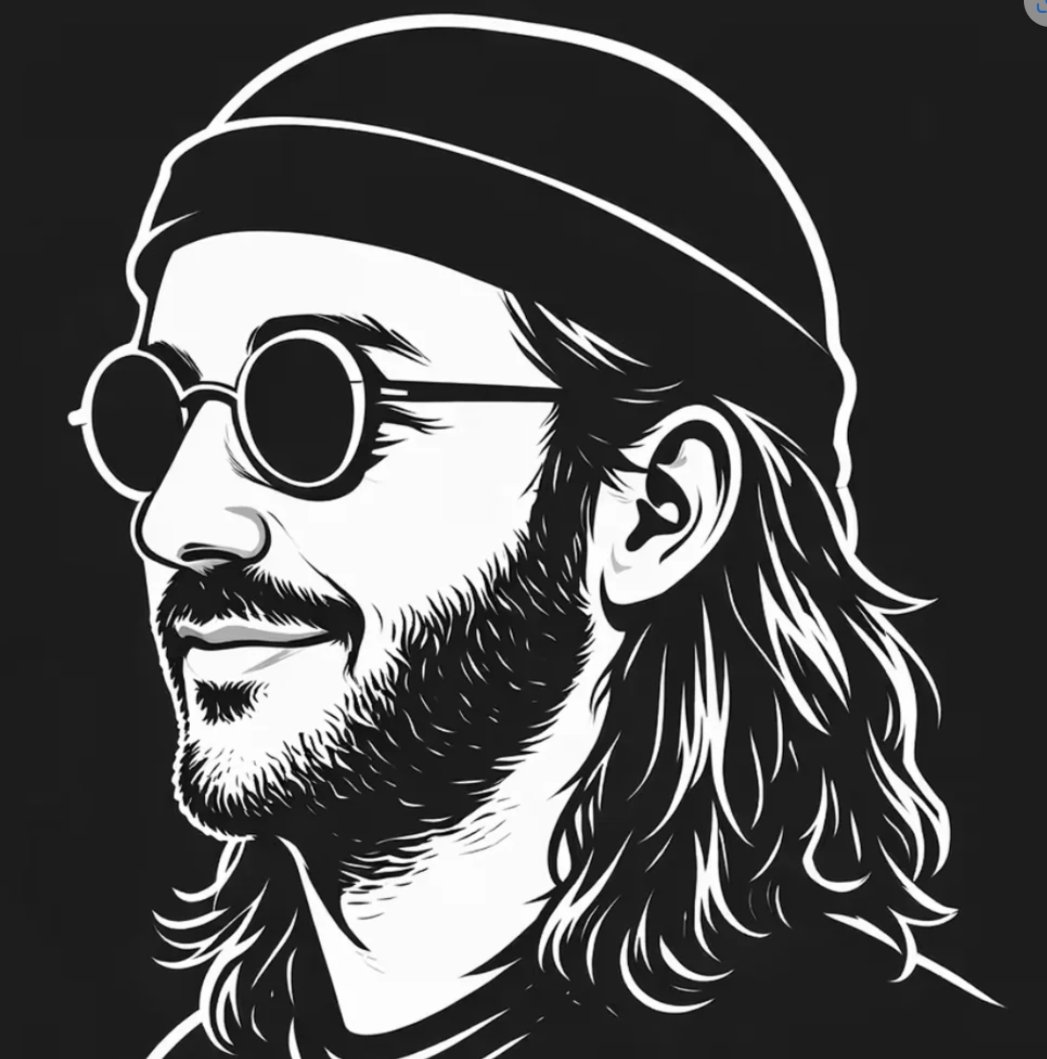
Create a minimalist high-contrast black-and-white vector portrait on a square canvas, showing [character description] in left-facing side profile against a solid near-black background. Use bold clean white vector outlines, thick graphic linework, and sharp negative-space shadows. The subject wears exactly 2 visible accessories: a slouchy knit beanie with a curved brim line across the forehead, and round vintage sunglasses visible as one partial circular lens on the far left edge. Show exactly 3 prominent facial/hair features that remain visible: one detailed ear, shoulder-length layered wavy hair flowing behind the neck, and a short beard along the jaw and chin. Place a large opaque vertical rectangle over the central face area, colored [overlay color], covering most of the sunglasses, nose, mouth, and front hair; the rectangle should be centered slightly left, with straight edges and no border, like a privacy block. Keep the composition cropped tightly like a social media avatar, with the beanie nearly touching the top edge, hair reaching the lower edge, and shoulders only minimally indicated. The style should feel like an indie musician or street artist logo, suitable for an avatar, poster, T-shirt print, or brand mark. Use only [palette], no gradients except subtle flat gray variation inside the overlay, no text, no watermark, no photorealism.



0 Comments
👥 Co-learning Circle 0
Observe other members' variables & configurations, and click "Study & Retry" to instantly import settings and practice!