

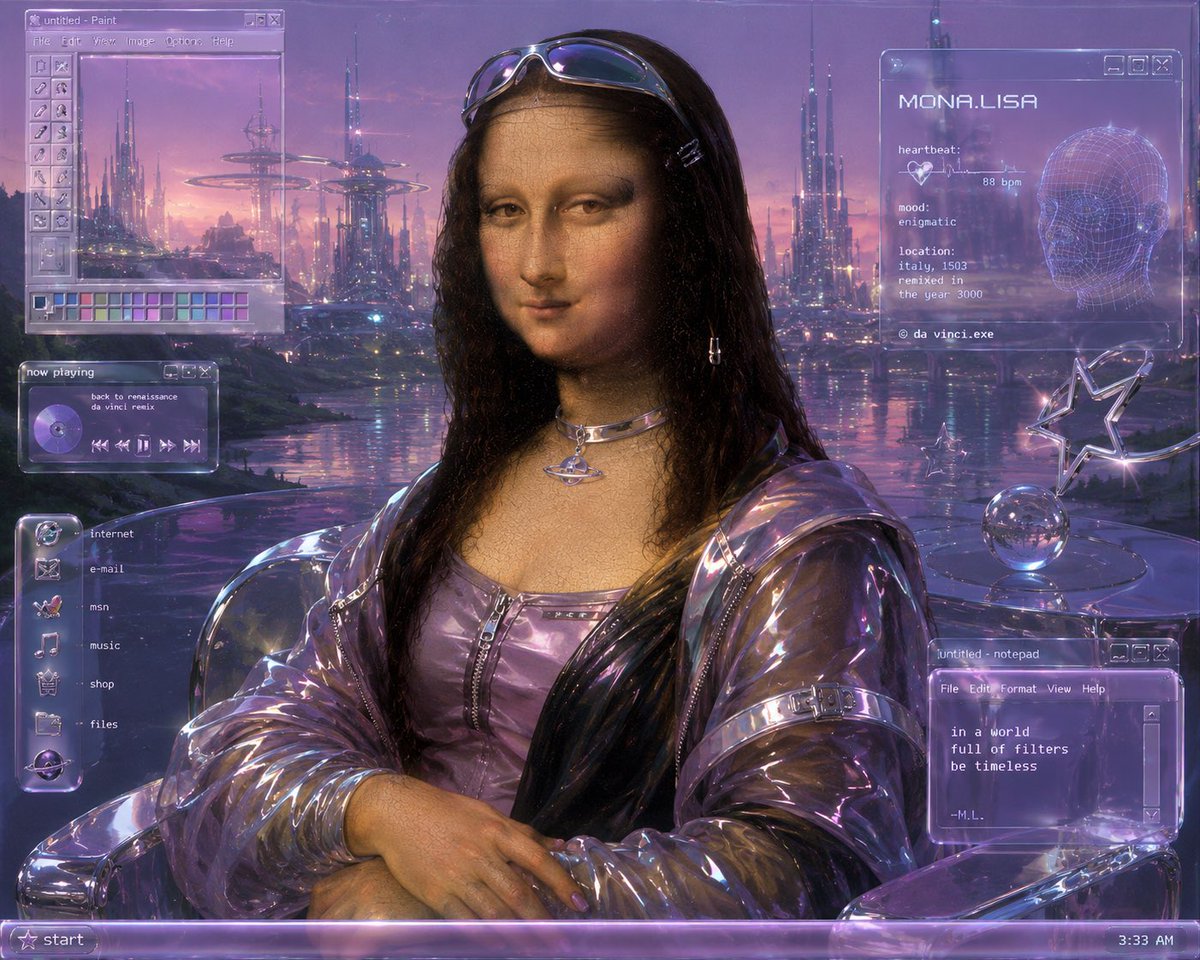
Goal: Create a Y2K futurist remix of Leonardo da Vinci's Mona Lisa as a retro computer desktop wallpaper, blending Renaissance portraiture with glossy cyber aesthetics.

Canvas: 4:3 landscape image, 1024×768 feel, full-screen composition with a translucent Windows 98 / early-2000s operating system interface overlaid on top of a purple sci-fi city at sunset.

Main subject: Center the [character name] from the waist up, posed like the original painting with folded hands, calm enigmatic smile, soft sfumato face, and dark wavy hair. She wears reflective chrome sunglasses resting on her head, small hair clips, dangling earrings, a metallic orbital choker necklace, a lavender zip-front futuristic top, and a transparent iridescent plastic jacket with glossy folds. Keep the classical Renaissance face texture visible but modernize everything around her with Y2K cyber fashion.

Background: Replace the Tuscan landscape with a dreamy futuristic waterfront city at dusk. Use tall needle-like skyscrapers, hovering ring structures, distant illuminated towers, pink-purple clouds, reflective water, and tiny blue-magenta lights. The palette is lavender, violet, chrome, rose gold, and electric blue with soft bloom and slight CRT grain.

Desktop UI overlays: Use translucent glassmorphism windows with glowing violet borders, pixel fonts, beveled buttons, and subtle scanline artifacts. Include exactly 5 visible interface groups:
1. Top-left Paint window titled “untitled - Paint,” with menu words “File Edit View Image Colour Help,” a vertical tool palette, and a row of small color swatches at the bottom; inside the canvas is the futuristic skyline.
2. Left-middle music player titled “now playing,” showing a purple CD icon, the track text “back to renaissance” and “da vinci remix,” plus playback controls.
3. Left-side vertical launcher dock with exactly 6 labeled icons: “internet,” “e-mail,” “msn,” “music,” “shop,” and “files.”
4. Top-right system profile window headed “MONA.LISA,” with a wireframe head graphic and biometric text: “heartbeat: 88 bpm,” “mood: enigmatic,” “location: italy, 1503,” “remixed in the year 3000,” and “© da vinci.exe.”
5. Bottom-right Notepad window titled “untitled - notepad,” with menus “File Edit Format View Help” and the poem text: “in a world / full of filters / be timeless / --M.L.”

Additional objects: On the right side, place a chrome table with a reflective glass sphere and a star-shaped chrome ornament, both matching the Y2K futuristic look.

Bottom taskbar: Add a translucent purple Windows-style taskbar spanning the full bottom edge, with a star “start” button on the left and the time “3:33 AM” on the right.

Visual style: Hyper-detailed digital painting with Renaissance realism, glossy plastic, chrome reflections, holographic purple UI, dreamy vaporwave lighting, retrofuturistic Y2K cyber aesthetic, soft film grain, subtle pixel/CRT texture, and high polish. Make the image look like a timeless old-master portrait running inside a futuristic early-internet desktop.

Constraints: Preserve the iconic Mona Lisa pose and expression, keep all text legible, do not add extra UI groups beyond the 5 listed, avoid modern flat UI styling, avoid watermarks.



0 Comments
👥 Co-learning Circle 0
Observe other members' variables & configurations, and click "Study & Retry" to instantly import settings and practice!